First, know which channel you're on.
Place GNSS coordinates within the waterway structure to identify the channel while retaining main and branch connections. The channel gives position its context.
This becomes “Current channel” in the App
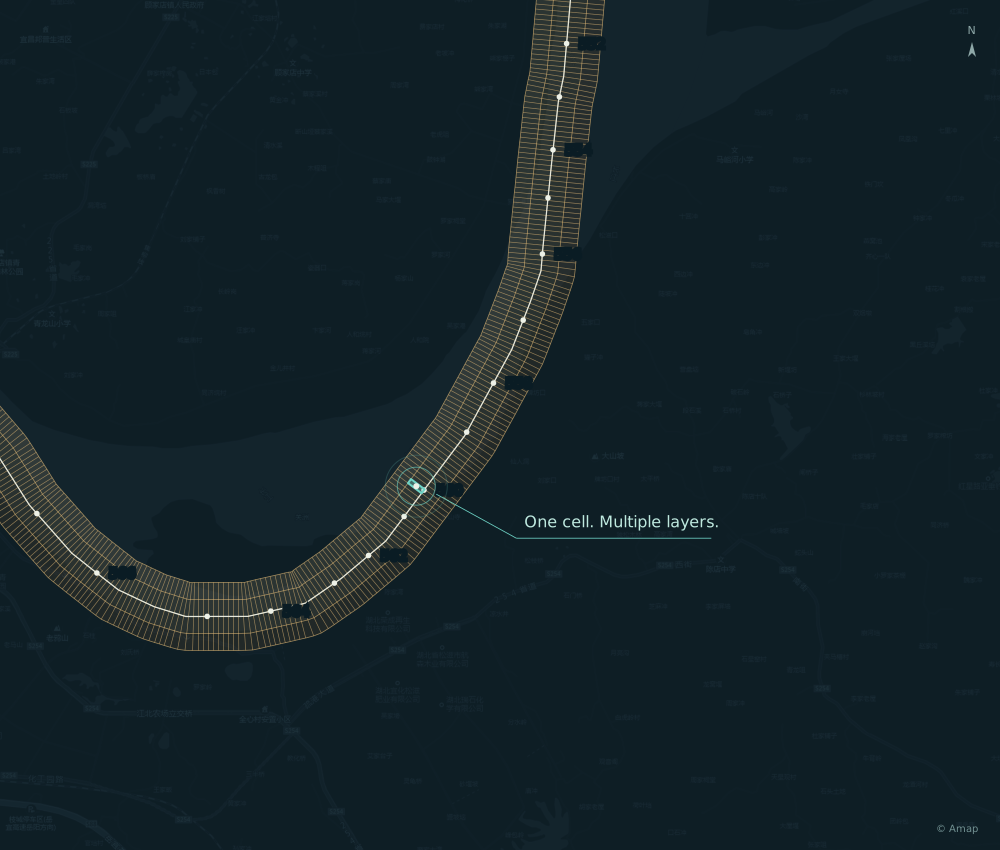
RV WATERWAY DATABASE / YANGTZE EDITION
LenTack built the RV waterway database.
Waterway zones and mileage-based cells link information to position.
A shared reference for displays, calculations and decisions.
GUANZHOU REACH · WATERWAY GRID · BASEMAP © AMAP
01 / WHY BUILD OUR OWN DATABASE
Wherever the vessel travels, what to display, how to calculate distance and which strategy applies all need a shared location reference.
So we built RV: divide the waterway into zones, create mileage-based cells and link channels, places and strategies to them. Once a device matches its position, it can find the relevant data for that location.
Detailed organization makes information clearer and device decisions better grounded.
Identify the reach and channel
Create finer position units
Support display, calculation and decisions
02 / HOW DETAILED IS THE DATABASE
Using public channel layouts and official kilometer points, we divide the main-stem mileage into 100 m intervals and combine them with four cross-channel zones to organize space. Finer divisions let different positions link to their own information.
Retain reach-specific mileage references
Divide positions along the mileage axis
100 m intervals × Four cross-channel zones
Keep familiar official mileage while linking positions across the waterway, providing a basis for voyage calculations across reaches.
Counts are based on RV Yangtze v1.8. The 100 m figure describes mileage intervals, not satellite positioning accuracy.Connect the channels, establish intervals, then associate information with the grid.
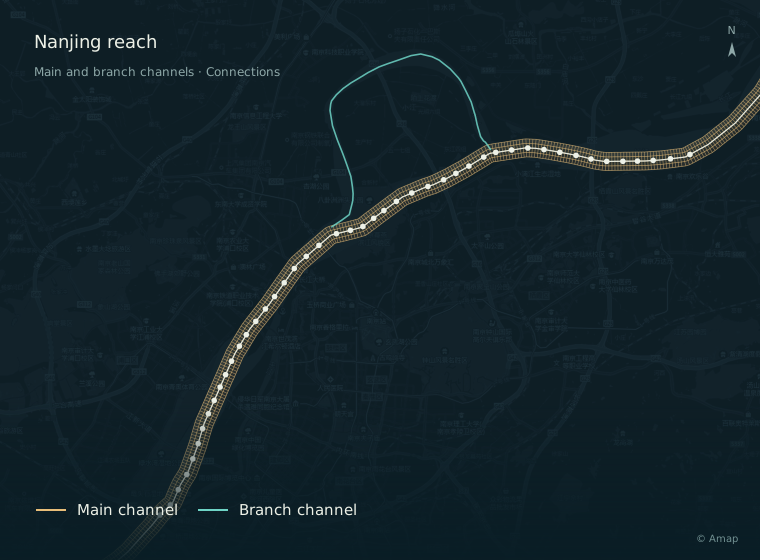
Retain main channels, branches and junctions so positions belong to a channel and distances follow its course.
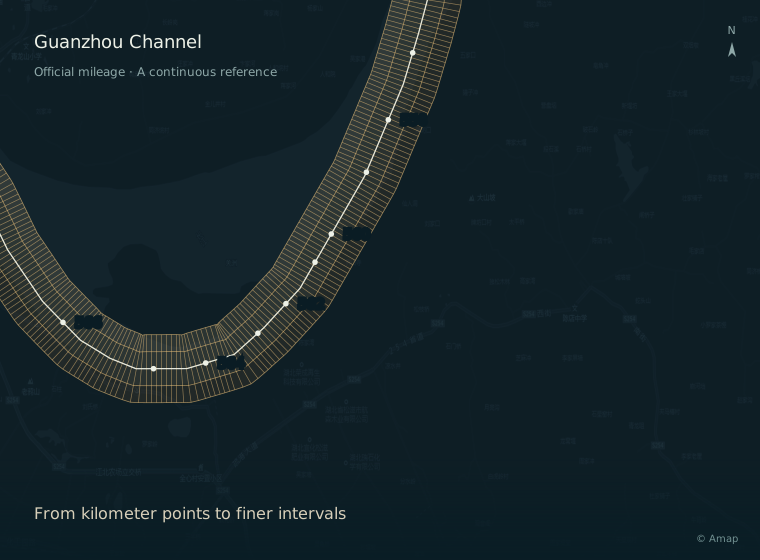
Subdivide between official kilometer points. Retain segmented mileage while building continuous relationships along the waterway.
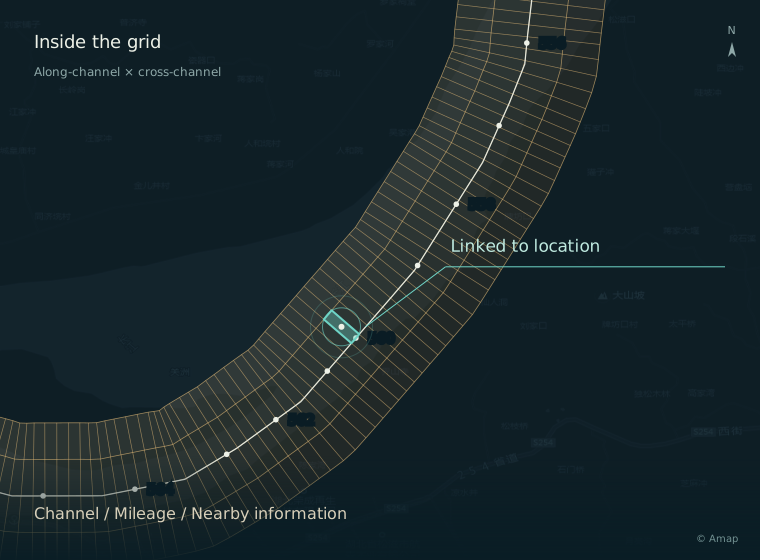
Along-channel intervals and cross-channel zones organize the space together. A vessel's cell links it to relevant information.
Local waterway visualization. Grid and associations are schematic. Gold shows channels and mileage references; cyan shows position and linked information.
INSIDE A CELL / ORGANIZING INFORMATION
Use the grid as a position index linking different types of data. Devices read what they need, with a common basis for display and calculation.
03 / WHAT THE DATABASE ENABLES
Matching the vessel to a grid cell links its channel, mileage and nearby information. These can determine what is displayed, support voyage calculations and give the Hub Terminal a basis for automatic decisions。
Place GNSS coordinates within the waterway structure to identify the channel while retaining main and branch connections. The channel gives position its context.
This becomes “Current channel” in the AppSubdivide official kilometer points into 100 m intervals, then organize them as a spatial grid. Relate the start, current position and destination to calculate traveled, remaining and relative distances.
This answers “How far have we gone, and how far is left?”Link shipping cities, wharves and route features to the same position reference. Turn coordinates into familiar place names and find voyage endpoints by city.
This supports location descriptions and place selectionFrom reading position and calculating voyages to retrieving regional strategies, the database organizes the relationships. The Hub Terminal processes them using live state and function rules.
Link coordinates to channels, shipping cities and official mileage, turning numbers into a familiar location description.
LOCATION · KNOW WHERE YOU AREPlace the start, current position and destination in the same along-channel relationship to calculate total, traveled and remaining distance.
PROGRESS · KNOW HOW FAR IS LEFTRelate destinations and waypoints to the current position, calculating relative distances along the waterway.
DISTANCE · KNOW WHAT COMES NEXTOrganize shipping cities, wharves and official kilometer points into an endpoint directory for setting up voyages.
VOYAGES · START WITH FAMILIAR PLACESRV supplies the position reference. The Hub Terminal records the journey, organizing speed and distance changes by time and voyage.
HISTORY · FOLLOW THE JOURNEY BACKLink regional network strategies to position so the Hub Terminal can evaluate them alongside live network conditions and apply function rules.
AIM · FEWER MANUAL ADJUSTMENTS ALONG THE ROUTEIN PRACTICE / DATA THROUGHOUT A VOYAGE
For a voyage, the database provides the position reference. The Hub Terminal combines positioning, voyage information and records to calculate. “Where are we? How far is left? How did we travel?” Different data works together to answer these questions.

Distances from Yichang, Wuhan and Wusongkou each use their own reference. Keeping both the reach and mileage in the display gives a complete location.
Familiar descriptions help confirm and communicate position.Connect positions across the waterway to support calculations between different mileage references, then relate them to voyage endpoints and progress.
Let the device handle mileage conversions, with less mental arithmetic.Organize successive positions and times into records. Review actual speed and distance changes by time or voyage.
Position references and navigation records complete the picture.Along-channel mileage provides a voyage-progress reference. Track distance comes from device records; the two use different calculation bases. This diagram explains data relationships and is not for navigation decisions.
04 / WHAT THIS MEANS FOR YOU
Zones, grids and linked information become everyday conveniences: read position in words, see progress visually and review the journey with statistics. Open the LenTack App to find the answers that matter on this voyage.
UNDERSTAND YOUR LOCATION
Shipping city, current channel and official mileage appear together. Spend less time looking up your position and communicate voyage progress more clearly.
Satellite position → Grid match → Channel, city and mileage
Position, channel and mileage. Read together.
SEE YOUR PROGRESS
Set voyage endpoints to give total, traveled and remaining distance a shared reference. A progress bar connects the numbers, with less mental arithmetic.
Endpoints + Current position → Along-channel distance → Voyage progress
Start, current position and destination. One voyage.
A JOURNEY YOU CAN REVIEW
View speed history for today or the current voyage, alongside average speed, maximum speed and cumulative distance. Individual changes become records you can review.
Terminal records → Organized by time and voyage → App charts and statistics
Screens evolve with App and device releases. Actual information depends on device records, data coverage and positioning conditions.
FROM DATABASE TO EVERYDAY USE
We built our database to give devices a basis for calculations and decisions, make information easier to understand and lay the groundwork for future automation.
Organize position, mileage, route information and strategies.
Provide a basis for display, calculation and decisions.
Calculate and record using live state.
Evaluate and act according to released function rules.
Readable positions. Clear progress.
History in charts. Voyages on record.